
How to Check Signal Strength on Your Phone Like a Pro
Signal Bars Are Misleading: The Truth About Signal Strength
Your phone shows four bars, but your calls are breaking up and your data is slow. The issue is that those bars aren't an accurate measure of your connection. They're just a rough estimate, and they can vary depending on your carrier, your device, and even your location.
To really understand what's going on, you need to measure your signal the right way. In this guide, you'll learn how to check it using dBm, what those numbers actually mean, and how to tell if your connection is strong enough for reliable performance. This approach helps when troubleshooting weak signal, considering a cell phone signal booster, or testing results before and after installation.
We fix poor cell phone signal! Find the right signal booster for you:




In this Guide:
What Is Signal Strength?
Cellular signals travel through the air from nearby cell towers to keep you connected. By the time that signal reaches your phone, it can be affected by distance, building materials, and interference from the surrounding environment. For more information, see our guide on what hurts cell signal.
Signal strength refers to how strong or weak that signal is when it reaches your device. It directly impacts how clear your calls sound, how reliably texts send, and how fast your data performs.
The most accurate way to measure your signal is in dBm (decibel-milliwatts), which gives you a precise, numerical reading instead of a rough estimate like signal bars.
Struggling with weak signal? A cell phone booster can strengthen your dBm for clearer calls, faster data, and reliable coverage.
How to Accurately Check Your Cell Signal Strength
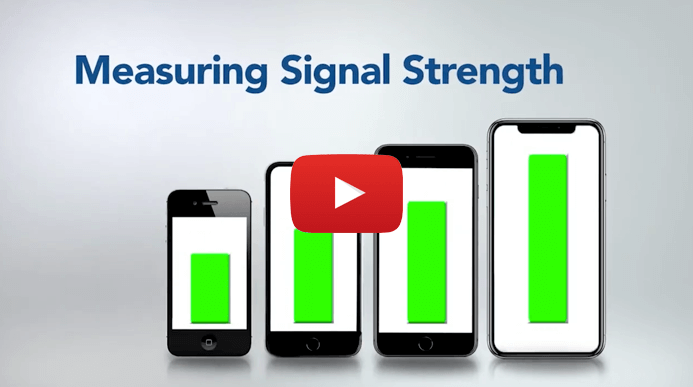
There are two main ways to check your cellular signal strength: using your phone's built-in Field Test Mode or a signal strength app. Both can give you a more accurate reading than signal bars, but they work a bit differently depending on your device.
Before diving into the steps, you may come across a few technical terms. Here's what they mean in simple terms:
- RSSI (Received Signal Strength Indicator): A general measure of the total power of a received signal, including signal strength and noise. Used for WiFi, Bluetooth, and cellular networks.
- RSRP (Reference Signal Received Power): The most accurate measurement of LTE and 5G signal strength. It measures the average power of a specific signal, rather than the total power like RSSI.
- SINR (Signal to Interference plus Noise Ratio): Indicates signal quality by comparing the strength of your signal to background noise.
- RSRQ (Reference Signal Received Quality): Combines signal strength and quality to give a fuller picture of performance.
For most people, RSRP is the key metric to focus on when checking signal strength.
Method 1: Field Test Mode
Field Test Mode is a feature built into most smartphones that provides detailed information about your cellular connection. It's also the most reliable way to check your iPhone signal strength in dBm.
Once inside Field Test Mode, look for a value listed in dBm or RSRP. This will appear as a negative number (for example, -95 dBm). That's the number you'll use to evaluate your signal.
How to Access Field Test Mode on iPhone
- Turn off WiFi connection
- Open the Phone app
- Dial *3001#12345#* and press call
- The FTM (Field Test Mode) Dashboard will open
- Your dBm will be listed next to RSRP under 5G and/or LTE sections
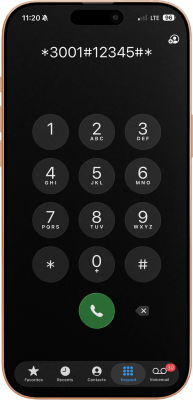
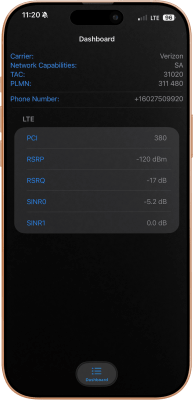
Note: Apple updates can change how Field Test Mode is displayed, so steps may vary slightly depending on your device.
How to Access Field Test Mode on Android
- Turn off WiFi connection
- Open your phone's Settings
- Go to About Phone
- Tap Status or Mobile Networks
- Look for SIM Status or Network
- dBm will be under Signal Strength
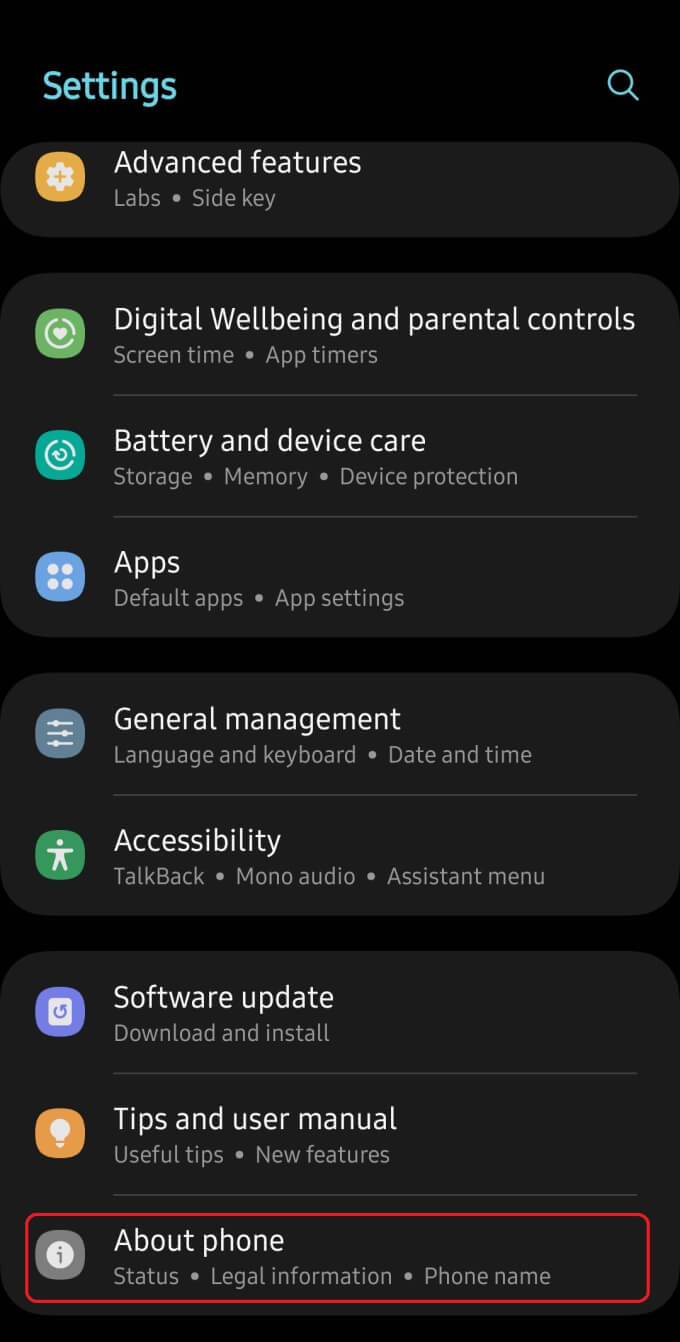
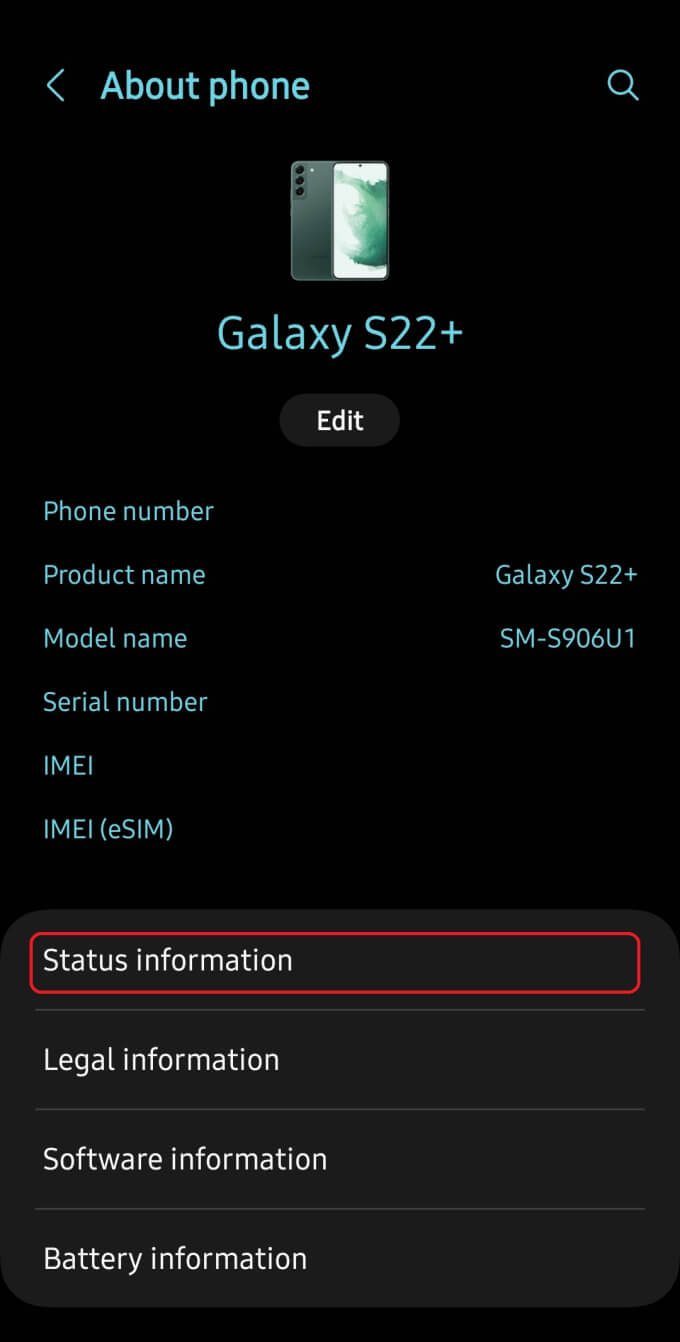
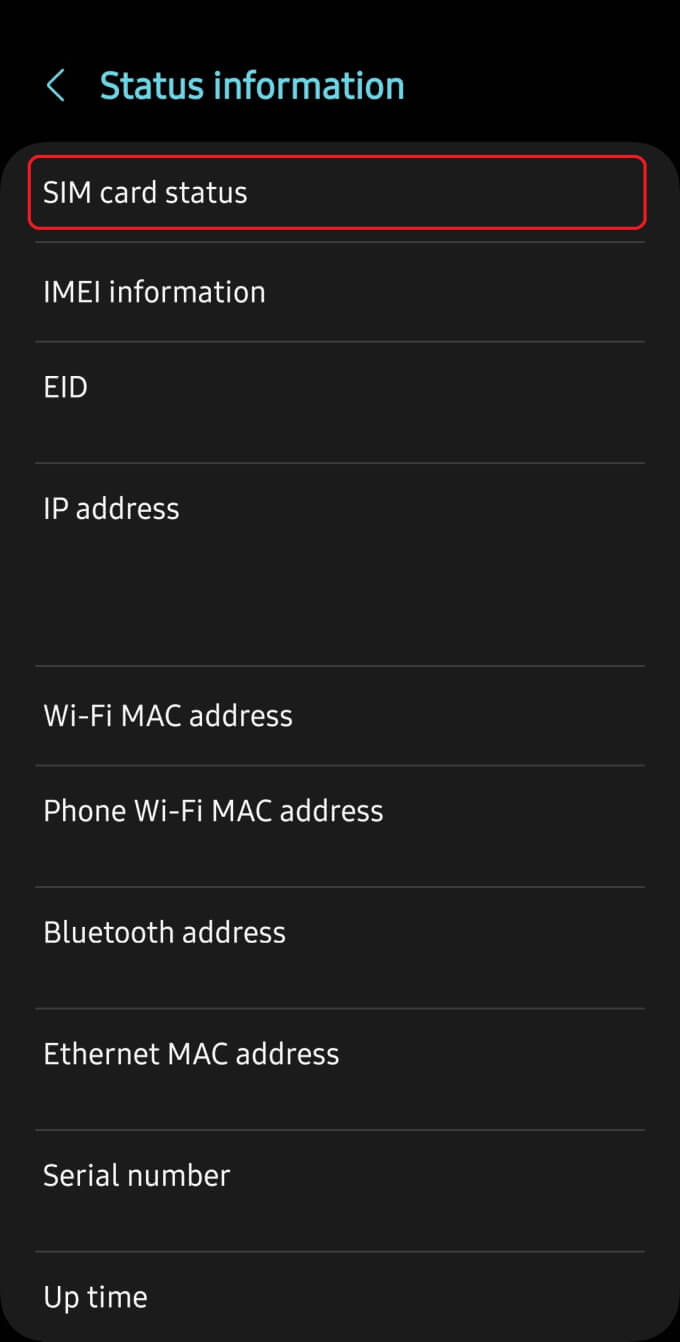
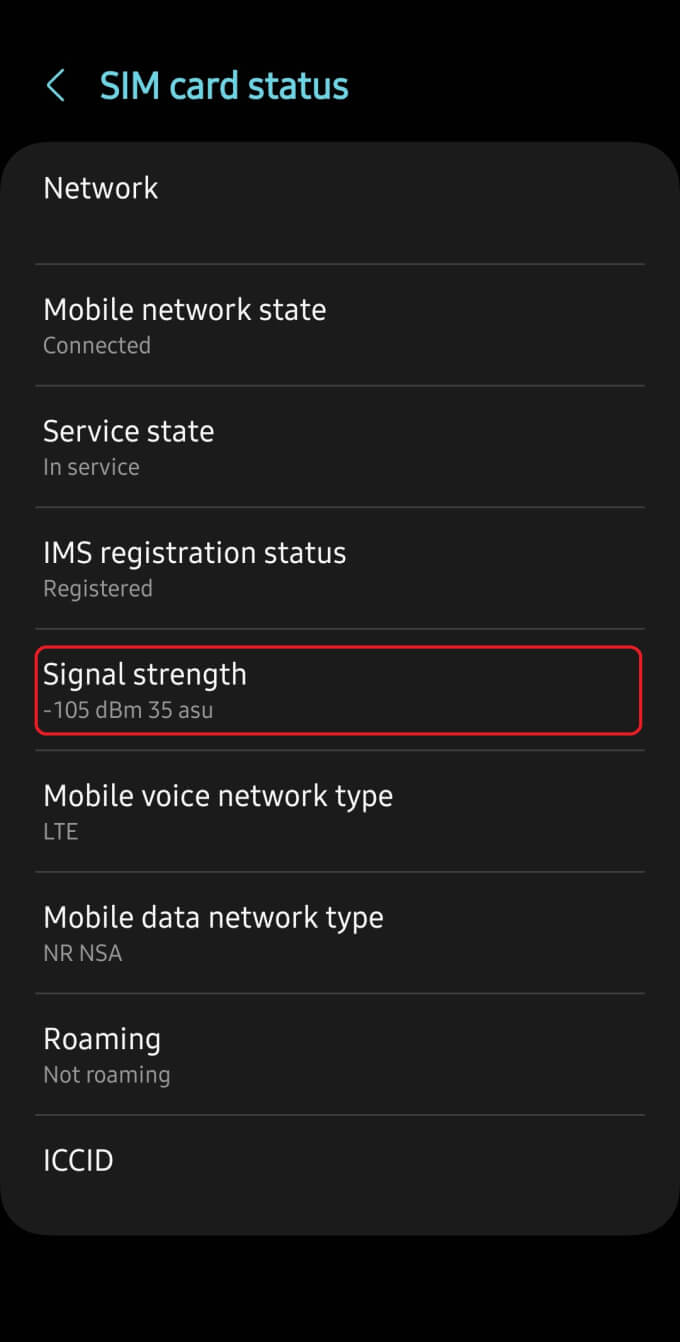
Note: Steps can vary depending on the manufacturer and Android version.
Method 2: Cellular Signal Strength Apps
Signal strength apps offer another way to measure your connection, often with additional tools like coverage maps and real-time tracking. This method is especially useful for Android users, since iPhones do not support these types of apps in the same way.
Some popular options include:
- Network Cell Info Lite (Available on Google Play): Trusted by many integrators. Begins measuring 5G and 4G mobile strength upon opening the app. Displays signal strength in dBm, frequency band in use, and cell signal quality.
- weBoost App (Available on Google Play and the App Store): Designed by weBoost to simplify signal booster installations. Signal strength test tool instantly measures dBm for Androids and provides step-by-step field test instructions for iPhones.
- OpenSignal (Available on Google Play and the App Store): Highly trusted speed test app. Recommended mostly for iPhone users if unable to test signal strength via field test mode. Allows you to test download, upload, and latency for 4G, LTE, 5G, and WiFi. Also features coverage maps to identify your carrier's coverage in your area:
These apps can help you visualize your signal strength and track changes as you move around. For a full list of options, see our guide to the best apps for testing signal strength.
What Your dBm Means
Once you've found your signal strength in dBm, the next step is understanding what that number actually tells you.
dBm is measured on a logarithmic scale and shown as a negative number. The closer the number is to zero, the stronger your signal. As the number drops further into the negatives, your signal becomes weaker.
In most real-world conditions, signal strength typically falls between -50 dBm (excellent) and -120 dBm (very poor). Even small changes in these numbers can have a noticeable impact on performance.
Based on real-world observations, here's how those values generally translate:
|
Approximate Signal Strength (dBm) |
Quality |
Estimated Bars |
Experience |
|
-50 to -80 |
Excellent |
4-5 |
Crystal clear calls and fast data. |
|
-80 to -100 |
Good |
3-4 |
Reliable service and steady data speeds. |
|
-100 to -110 |
Fair |
2-3 |
Slower data and decent call quality. |
|
-110 to -120 |
Poor |
1-2 |
Dropped calls, delayed texts, and buffering. |
|
-120+ |
Very Poor |
0-1 |
Spotty to no service |
Please Note: Described signal strength results are estimates and may vary based on your carrier, device, and location.
As a general rule, anything below -110 dBm is where issues become noticeable, especially indoors.
It's also important to keep in mind that signal loss isn't linear. The further you move away from a strong signal, the faster performance tends to degrade.
How to Increase Cell Phone Signal Strength
If your signal falls into the weaker ranges inside your homes, offices, or while on the go, a cell phone signal booster is one of the most effective ways to improve your connection. These systems work by capturing existing outside signal, amplifying it, and rebroadcasting it inside where you need it. Watch the short video below to see how signal boosters can transform cell signal strength.
Video Summary: weBoost Home Complete installed improves signal strength in rural East Texas home from -116 dBm (1 bar) to -75 dBm (5 bars). Read full story.
Top Signal Booster Recommendations
The perfect fit for most homes with a drill-free installation. Supercharges signal strength in up to 5,000 sq ft.
Shop Now: $569.99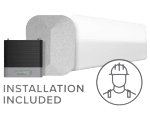
Most powerful signal booster available for rural and urban homes. Maximizes signal strength up to 7,500 sq ft with professional installation included.
Shop Now: $1,499.99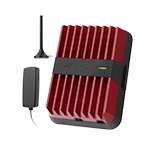
Most powerful multi-user vehicle cell phone booster. Improves signal strength whether on city highways or remote roads. Available in multiple configurations to fit any vehicle type – from cars to boats.
Shop Now: Starting at $499.99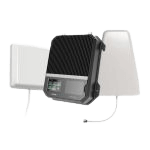
Design for small businesses or large homes. Covers up to 10,000 sq ft with strong 5G and 4G signals. Requires DIY installation.
Shop Now: $1,699.99If your signal readings are consistently weak, improving your setup can make a noticeable difference in call quality and data speed. You can explore our best cell phone signal boosters or contact our team at 1-800-568-2723 for a recommendation based on your signal strength and space.
FAQs
What Causes Poor Signal Strength?
Why Is My Signal Strength Weak When I Can See the Tower?
How Can I Improve My dBm Signal Strength?
How to Check Signal Strength on iPhone?
How Do I Check Signal Strength in dBm on Android?
What Is a Good dBm Signal Strength?
Why Do My Signal Bars Change but My Performance Stays the Same?


Money Back Guarantee

Technical Support